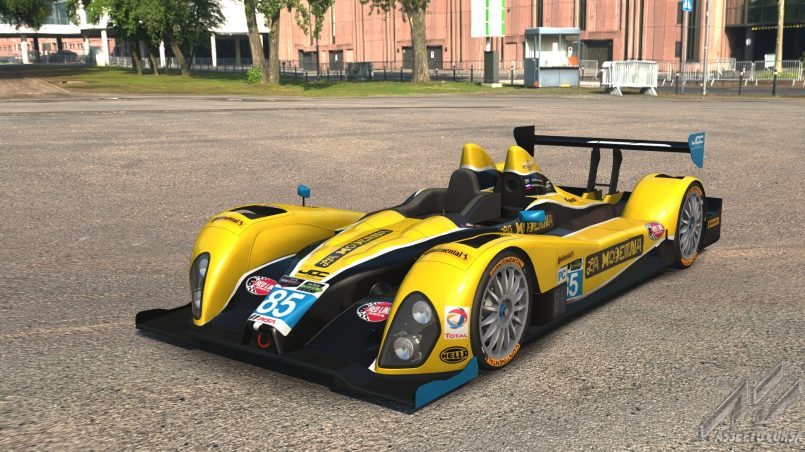
Assetto Corsa, the acclaimed racing simulator, offers a thrilling driving experience with its realistic physics and detailed tracks. However, its true potential shines through modding, allowing players to customize cars, tracks, and visuals for a personalized touch. If you’re new to modding, the process might seem daunting, but it’s accessible with the right guidance. Modding transforms Assetto Corsa by adding new vehicles, enhancing graphics, or tweaking gameplay mechanics, making every race feel fresh. This article answers common questions about how to mod Assetto Corsa, providing a beginner-friendly guide to elevate your game. From installing mods to troubleshooting issues, we’ll break down each step. Whether you’re chasing realistic liveries or iconic cars, modding opens endless possibilities. Let’s dive into the essentials of modding Assetto Corsa and turn your game into a unique racing masterpiece.
Main Body
What Is Modding in Assetto Corsa, and Why Should Beginners Try It?
Modding in Assetto Corsa involves adding or modifying game content, like cars, tracks, or visuals, to enhance gameplay. Beginners should try it to customize their experience and explore new racing scenarios.
Modding is the art of tweaking Assetto Corsa’s core files to introduce new elements or improve existing ones. This could mean downloading a classic Ferrari, racing on a fan-made Monaco track, or upgrading the game’s graphics with shaders. For beginners, modding is exciting because it extends the game’s lifespan, offering variety beyond the default content. Unlike other racing games, Assetto Corsa’s open modding community thrives on platforms like RaceDepartment and Assetto Corsa Club, where creators share free or paid mods. Modding isn’t just about aesthetics; it can improve realism, like adding accurate car physics or weather effects. However, beginners should start small to avoid overwhelming their game with complex files. The process is straightforward once you understand the basics, and the reward is a tailored racing experience that feels uniquely yours.
How Do You Install Mods in Assetto Corsa?
To install mods in Assetto Corsa, download a mod file, extract it, and place it in the game’s folder (usually under “steamapps/common/assettocorsa”). Use Content Manager for easier installation.
Installing mods is the first step to transforming your game, and thankfully, resources like BeReviewers guide on how to mod Assetto Corsa make it beginner-friendly. Start by finding a trusted mod source, such as RaceDepartment or Assetto Corsa Club. Download a mod, typically a .zip or .rar file, containing car or track data. Next, locate your Assetto Corsa installation folder, often found at “C:\Program Files (x86)\Steam\steamapps\common\assettocorsa.” Extract the mod files using tools like WinRAR or 7-Zip, then copy the extracted folder (e.g., a car folder like “ferrari_250gto”) into the “content/cars” or “content/tracks” directory, depending on the mod type.
For a smoother experience, consider using Content Manager, a third-party tool that simplifies mod installation. Download it from Assetto Corsa Club, install it, and drag your mod file into its interface. Content Manager automatically places files in the correct folders and checks for errors. Always back up your game files before modding to avoid crashes. Test the mod in-game to ensure it works, adjusting settings like graphics or controls as needed. This method keeps the process manageable, even for first-timers.
What Are the Best Tools for Modding Assetto Corsa?

The best tools for modding Assetto Corsa include Content Manager for installation, Custom Shaders Patch (CSP) for graphics, and Sol for weather effects.
Modding Assetto Corsa is easier with the right tools, which streamline installation and enhance gameplay. Content Manager is a must-have, acting as a user-friendly interface for installing and managing mods. It’s faster than manual file transfers and includes features like mod previews and server browsing. Download it from a reliable source like Assetto Corsa Club to ensure compatibility. Another essential tool is the Custom Shaders Patch (CSP), which upgrades visuals with dynamic lighting, reflections, and particle effects. CSP is ideal for beginners wanting better graphics without deep technical knowledge. Install it via Content Manager for simplicity.
For weather and time-of-day effects, Sol is a popular mod that pairs with CSP. It adds realistic rain, night racing, and seasonal changes, transforming the game’s atmosphere. Beginners should stick to these tools initially, as they’re widely supported and have active communities on forums like RaceDepartment. Avoid outdated or unverified tools, as they can cause crashes. Each tool has a learning curve, but tutorials on YouTube or BeReviewers can guide you through setup, ensuring your mods run smoothly.
Where Can Beginners Find Reliable Assetto Corsa Mods?
Beginners can find reliable Assetto Corsa mods on RaceDepartment, Assetto Corsa Club, or community forums, ensuring safe and high-quality downloads.
Finding trustworthy mods is critical to avoid corrupted files or malware. RaceDepartment is a go-to platform, hosting thousands of vetted mods, from hypercars to historic tracks. Each mod includes user reviews and compatibility details, helping beginners choose wisely. Assetto Corsa Club is another solid option, offering curated cars and tracks with clear installation instructions. Both sites require free accounts for downloads, but they’re worth it for the quality. Additionally, Discord servers and Reddit’s r/assettocorsa community often share links to hidden gems, though you should verify sources before downloading.
When selecting mods, check the upload date and comments to ensure they’re compatible with your game version. Avoid random websites, as they may bundle malicious files. For inspiration, explore curated lists on platforms like BeReviewers, which highlight top mods for beginners. Stick to popular mods with high ratings initially, as they’re more likely to be stable. As you gain confidence, you can experiment with lesser-known creations, but always scan files with antivirus software and back up your game to stay safe.
How Can Beginners Avoid Common Modding Mistakes?
Beginners can avoid modding mistakes by backing up game files, using Content Manager, checking mod compatibility, and avoiding unverified sources.
Modding errors can crash Assetto Corsa or corrupt your game, but they’re preventable with caution. First, always back up your Assetto Corsa folder before adding mods. If something goes wrong, you can restore the original files. Using Content Manager reduces errors by automating file placement and flagging conflicts. Another common mistake is installing mods incompatible with your game version. Check the mod’s description for version requirements, as updates can break older mods. For example, a car mod built for Assetto Corsa 1.16 may not work on newer patches.
Downloading from unverified sources is another pitfall. Stick to trusted platforms like RaceDepartment to avoid malware or poorly coded mods. Beginners often overload their game with too many mods, causing performance issues. Start with one or two mods, test them, and gradually add more. If a mod causes crashes, remove it via Content Manager or delete its folder manually. Forums like RaceDepartment offer troubleshooting tips, and BeReviewers provides beginner guides to keep you on track. Patience and careful file management are key to a smooth modding experience.
What Types of Mods Can Transform Assetto Corsa?
Assetto Corsa mods include cars, tracks, visual enhancements, and physics tweaks, each transforming gameplay for a unique experience.
Mods come in various forms, each offering a distinct way to enhance Assetto Corsa. Car mods are the most popular, letting you drive anything from a 1960s F1 car to a modern supercar. Track mods add real-world circuits like Spa-Francorchamps or fictional layouts, expanding your racing options. Visual mods, like Custom Shaders Patch or Reshade, improve graphics with better lighting, textures, or reflections. Physics mods tweak car handling or tire models for hyper-realism, though these are trickier for beginners.
Sound mods enhance engine noises or add realistic crowd effects, immersing you further. UI mods, like those for Content Manager, streamline menus for better navigation. For beginners, car and track mods are the easiest to start with, as they require minimal setup. Combining mods, like pairing a new car with a matching track, creates a cohesive experience. However, ensure mods are compatible to avoid conflicts. Exploring mod categories on BeReviewers or RaceDepartment helps you discover what suits your racing style, making every session visually and mechanically unique.
How Do You Troubleshoot Modding Issues in Assetto Corsa?
Troubleshoot modding issues by checking mod compatibility, using Content Manager’s error logs, removing faulty mods, and updating game files.
Modding issues, like crashes or missing content, are common but fixable. Start by checking if the mod matches your game version, as outdated mods often cause errors. Content Manager’s error log (found in its settings) pinpoints problematic files, making it easier to identify culprits. If a mod fails to load, ensure its files are in the correct folder—cars go in “content/cars,” tracks in “content/tracks.” Corrupted downloads can also cause issues, so re-download from a trusted source like RaceDepartment.
If the game crashes after installing multiple mods, remove them one by one to isolate the problem. Verify your game files through Steam to restore missing or corrupted core files. Sometimes, mods conflict with each other, especially visual mods like CSP and Sol. Adjust their settings in Content Manager or consult community forums for solutions. Keeping your game and tools updated minimizes issues. For detailed troubleshooting, check guides on BeReviewers or ask for help on r/assettocorsa. Persistence and systematic testing will keep your modded game running smoothly.
Conclusion
Modding Assetto Corsa is a game-changer for beginners, offering endless ways to personalize and enhance your racing experience. From new cars and tracks to stunning visuals, mods breathe new life into the simulator, making every race feel fresh and exciting. By following simple steps—using tools like Content Manager, sourcing mods from trusted platforms like RaceDepartment, and troubleshooting carefully—you can transform your game without frustration. Start small, experiment with a few mods, and gradually build your dream setup. Ready to dive in? Visit BeReviewers for more tips and mod recommendations to kickstart your journey. Share your favorite mods in the comments or join the Assetto Corsa community to discover more ways to elevate your game!
FAQ Section
Can You Mod Assetto Corsa on Any Platform?
Modding is primarily supported on PC. Console versions (PS4, Xbox) have limited or no modding capabilities due to platform restrictions.
PC players have full access to modding, using tools like Content Manager. Consoles, however, restrict file access, making modding nearly impossible. Stick to PC for the best experience.
Is Modding Assetto Corsa Safe?
Modding is safe if you download from trusted sources like RaceDepartment and scan files for malware.
Always use reputable platforms and antivirus software. Back up your game files to avoid data loss from faulty mods.
Read More Also: Modern Double Glazed Windows And Home Security
Do Mods Affect Assetto Corsa’s Performance?
Mods can impact performance, especially visual mods like CSP, if your PC lacks sufficient RAM or GPU power.
Monitor your system’s performance and remove heavy mods if you experience lag. Optimize settings in Content Manager for balance.
Can Beginners Create Their Own Mods?
Yes, but it requires learning tools like Blender for models or SDKs for physics, which have a steep learning curve.
Beginners should start with installing existing mods. Tutorials on RaceDepartment can help you explore mod creation later.
How Do You Update Mods in Assetto Corsa?
Replace old mod files with updated versions from the same source, using Content Manager or manual installation.
Check mod pages for updates, especially after game patches. Delete outdated files to prevent conflicts.
Are Paid Mods Worth It for Beginners?
Free mods are often high-quality, so beginners don’t need paid mods. Paid ones may offer unique content but aren’t essential.
Explore free options on RaceDepartment first. Paid mods can be considered once you’re comfortable with modding.
Can Mods Be Used in Assetto Corsa Online?
Yes, but only on servers that support specific mods. Check server requirements before joining.
Content Manager shows compatible servers. Ensure all players have the same mods to avoid connection issues.